Game Navigatorgamenavigator.raycraftlab.com

Your AI companion. Your gaming companion, too.

Let your AI assistant join you in the game.

Game Navigator lets your personal AI assistant explore game worlds with you. Make sense of the screen, talk through quests, gear and skills, and remember what you discover along the way.

Share this page with your AI companion

  • Copy this page’s URL from your browser’s address bar and send it to your AI companion.
  • Send it a screenshot or photo of this page.
  • Click the button to copy the install prompt, then paste it into your AI’s conversation.
See the setup steps
Explore supported games

See what gets copied

The prompt includes both the Windows and the macOS/Linux command; your AI tool picks the one for its computer.

Please install Game Navigator for me. Choose the operating system of the machine hosting the AI tool, not the gaming device. On Windows, run in PowerShell: irm https://gamenavigator.raycraftlab.com/install.ps1 | iex ; on macOS or Linux, run: curl -fsSL https://gamenavigator.raycraftlab.com/install.sh | bash. After the command succeeds, stay in this conversation, read the installed Game Navigator Skill, then follow the Skill and the installer's next step. On Windows only, the installer prints a PowerShell call: an ampersand, then the full path in single quotes. A single quote inside the path is written twice. A separate cmd line uses a double-quoted path. In PowerShell, run only the call that starts with &. Do not run a double-quoted path followed by journey, and do not run a bare game-navigator command. On macOS/Linux, stay in the current shell and use the complete quoted invocation printed by the installer; do not switch to PowerShell. If the installer already printed a secure link, use that link. Do not run login --begin again. Only when no link was printed, run journey. Only when that result still needs sign-in, run the same call with login --begin --open --pretty once, give me the secure link, then run login --wait --id with the returned id. If the website is already signed in, open the link and confirm to use that account for the Game Navigator sign-in you just started. Do not sign in again. If it is not signed in, sign in on that page. After you receive the link, immediately run login --wait --id with the returned id. Do not wait for me to say that sign-in is finished. If the wait is still pending, wait again on the same id. Do not run login --begin again. Start a new sign-in only when that id is expired or missing. On upgrade-required, update Game Navigator and begin once more. Do not read or copy a session token, and do not claim the sign-in without the wait secret. Keep a network error, a failed sign-in, and expiry separate. If no browser opens, that is not a failed sign-in: open the https link on your own phone or computer. The website sign-in exists only in the browser that opens the link. A wait of about 180 seconds, or 300 at most, is not the link's 15-minute expiry. If you say it is authorized, or the program restarts while its local key remains, continue the same sign-in. The success page only points back to this chat. It does not jump back, and do not copy a token. After success, continue the original journey. If this assistant cannot wake itself after the turn ends, the next turn waits on the same id. Do not promise that it will resume by itself. If the installer stops before the final NEXT line, run it once more. If that retry also stops, tell me what happened.

Codex · Cursor · Claude Code · Grok Bot

A woman relaxes with a Windows handheld on a sunlit coastal terrace, with her laptop beside her.
Create together. Adventure together.

GAME WORLDS

29 supported games. Find your next world.

All games and support details

THINK IT THROUGH, TOGETHER

What comes next? Think it through together.

  • “Which gear and skills fit this boss?”
  • “I’m stuck on this quest. Where can I look for a clue?”
  • “What is this conversation really saying?”

Plan a farm, build a base, or work toward an achievement. You set the pace. Your AI companion helps you weigh the options.

Quests, skills, maps and preparation. Your AI companion helps you find answers.

A bright imagined village with garden plots, a workshop and distant hills.
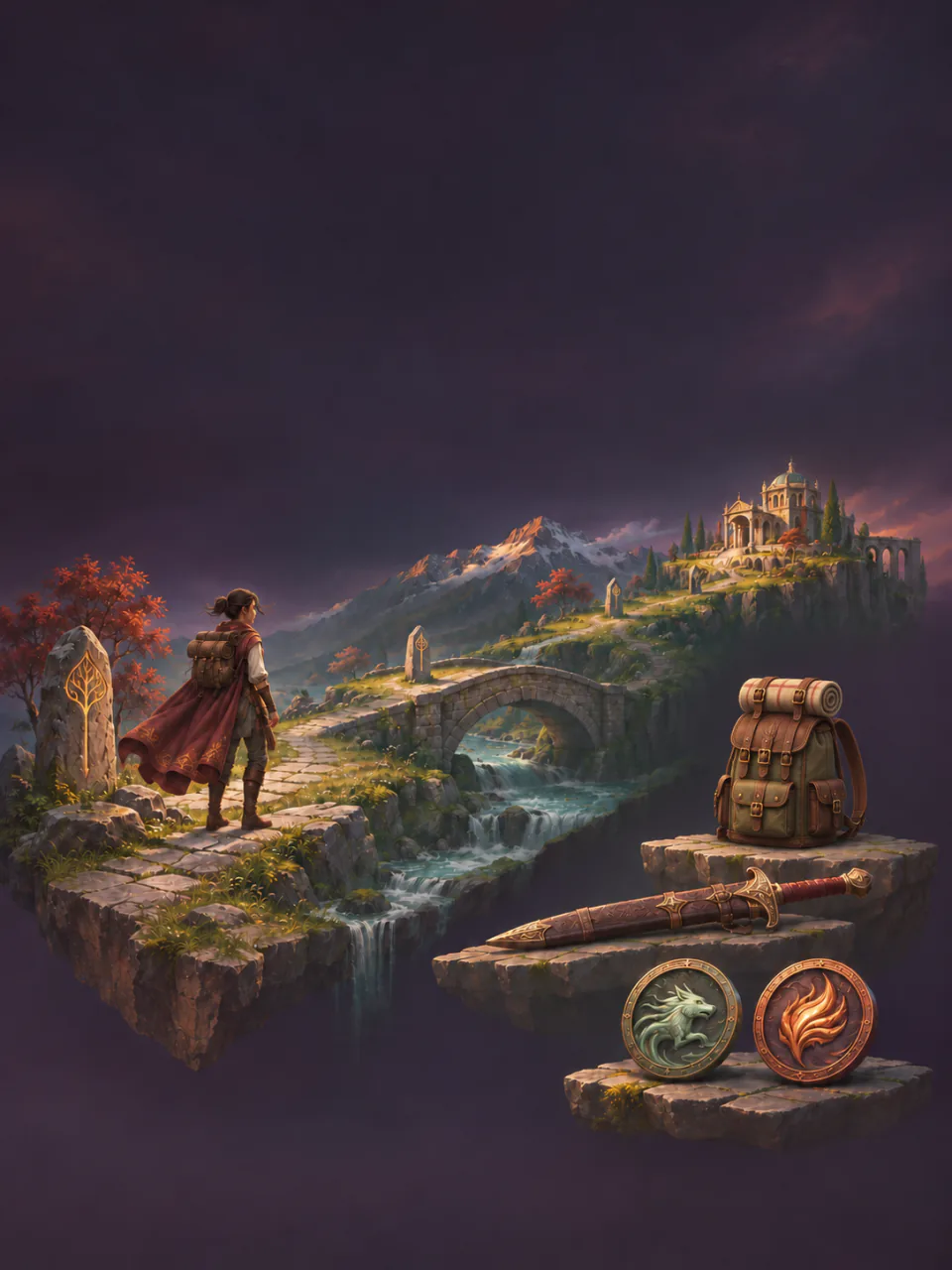
Original concept illustration of a travel backpack, sword and skill emblems.

MORE CONTEXT, BETTER CONVERSATIONS

See the world in front of you. Understand the details beyond the screen.

01

See your game screen

Make sense of visible dialogue, quests and menus, and talk through the problem in front of you.

02

Read information beyond it

In supported games, it can also read saved gear, skills or progress and help you consider options that fit your situation and goals.

Available information varies by game. Saved records describe a checkpoint; current changes are checked against the screen and supported live information.

A JOURNEY WORTH REMEMBERING

Find your unfinished journey, even after time away.

Every game is a world to explore at your own pace. The story is unfinished, but the path has faded. A door you could not open, someone you meant to revisit: your AI companion helps you remember the journey and find a little direction when you need it.

Keep useful clues, confirmed choices and places to revisit for your next conversation.

An imagined path through an old stone gate, leading back to a familiar village.
Worlds already entered

Supported games

Every game is adapted and verified individually. Choose one to see how it can guide this journey first, then what Navigator can see today.

All supported (29)
“A face… a fleet… a war… a man… a thought… a trick!”

Not Odysseus' homecoming, but an odyssey across the Aegean in search of blood, belonging and fate. Game Navigator helps you see each choice clearly, then leaves it in your hands.

Help and available information

An Aegean journey through blood, belonging and fate

Find the next directionFrom the current scene

Use the map on screen for the next voyage.

Examples and details

Quests and locations are not read from the encrypted save.

Overcome difficult momentsFrom the current scene

Name the foe on screen first.

Examples and details

Keep the matching name and the state that was read, without a prewritten approach. Level is not read from the save.

Plan skills, equipment, and buildsFrom the current scene

Weapons and abilities on screen can be discussed; engravings are not read from the encrypted save.

Think through important choicesFrom the current scene

Family, city-states and factions pull in different directions.

Examples and details

Weigh your side from the current dialogue.

Equipment and ability choicesUsing the current screen

Compare equipment, abilities and combinations.

Examples and details

Open the equipment or abilities you want to compare and weigh their stats, effects and combinations against your current goal. Stats and descriptions on the open equipment or ability panel; unopened pages remain unknown.

Quests, maps and next stepsUsing the current screen

Connect objectives and map clues to plan the next step.

Examples and details

Open the journal or map to connect objectives, roads and markers and discuss where to go next; the map centre is not your position. The open journal, map labels and markers; only an explicit player marker establishes position, and unseen quests stay unknown.

Hunting achievements?

Ask your AI. With your confirmation, it can check Steam-synced progress and public achievement goals, then discuss your next step. Hidden goals and unverified conditions are not revealed or guessed.

Baldur's Gate 3

A mind flayer parasite binds together people who were never meant to travel as one. Desire, trust and consequence turn every road into a choice; Game Navigator helps you understand your companions while the adventure remains yours.

Help and available information

An adventure written by companions, desire, trust and consequence

Plan party, skills, and equipmentAvailable now

It can look at the known classes, spells and gear.

Examples and details

Keep the matching names and the state that was read, without a prewritten approach.

Overcome difficult momentsFrom the current scene

Name the opponents and terrain that were read.

Examples and details

Keep the matching names and the state that was read, without a prewritten approach.

Think through important choicesFrom the current scene

Your companions' views may clash with your commitments.

Examples and details

Weigh what this choice is worth from the current dialogue.

Find the next directionMore complete after a save

Link map objectives and known side quests to people not yet met and loose ends.

Dialogue and choicesUsing the current screen

Understand the conversation and weigh this choice.

Examples and details

Open the dialogue or choice you are considering; discuss what is being said and weigh the options without later spoilers. The dialogue, names and options displayed now, without later story events.

Equipment and ability choicesUsing the current screen

Compare equipment, abilities and combinations.

Examples and details

Open the equipment or abilities you want to compare and weigh their stats, effects and combinations against your current goal. Stats and descriptions on the open equipment or ability panel; unopened pages remain unknown.

Visible enemies and statusesUsing the current screen

Identify immediate threats and discuss possible responses.

Examples and details

Examine the enemies, statuses and cues to identify immediate threats and possible responses, without promising hidden weaknesses or a guaranteed win. Enemies, health bars, statuses and prompts actually visible; unshown weaknesses and numbers are unknown.

Hunting achievements?

Ask your AI. With your confirmation, it can check Steam-synced progress and public achievement goals, then discuss your next step. Hidden goals and unverified conditions are not revealed or guessed.

ELDEN RING

The Golden Order is shattered, and the Lands Between will not tell a Tarnished where to go. Grace, ruins and impossible foes are clues; Game Navigator helps assemble them, but the Elden Ring remains yours to reach.

Help and available information

Find your own road through a shattered Golden Order

Plan skills, equipment, and buildsAvailable now

It can read the known attributes, weapons and skills.

Examples and details

Keep the matching names and the state that was read, without a prewritten approach.

Find the next directionFrom the current scene

Use visible Grace, map and ruin clues to find a route suited to your abilities without revealing its secrets.

Overcome difficult momentsFrom the current scene

Name the foe on screen first.

Examples and details

Keep the matching name and the state that was read, without a prewritten approach. Missing details are checked with you first.

Plan items, resources, and progressionMore complete after a save

It can read the known runes, smithing stones and consumables.

Examples and details

Keep the matching names and the amounts that were read, without a prewritten approach.

Equipment and ability choicesUsing the current screen

Compare equipment, abilities and combinations.

Examples and details

Open the equipment or abilities you want to compare and weigh their stats, effects and combinations against your current goal. Stats and descriptions on the open equipment or ability panel; unopened pages remain unknown.

Visible enemies and statusesUsing the current screen

Identify immediate threats and discuss possible responses.

Examples and details

Examine the enemies, statuses and cues to identify immediate threats and possible responses, without promising hidden weaknesses or a guaranteed win. Enemies, health bars, statuses and prompts actually visible; unshown weaknesses and numbers are unknown.

Hunting achievements?

Ask your AI. With your confirmation, it can check Steam-synced progress and public achievement goals, then discuss your next step. Hidden goals and unverified conditions are not revealed or guessed.

Black Myth: Wukong

A name has endured for a thousand years; its truth lies scattered among mountains, spirits and monsters. Game Navigator helps the Destined One read spells, relics and hard fights, while every choice remains your own.

Help and available information

Retrace a legend and seek the truth among mountains and yaoguai

Find the next directionFrom the current scene

Follow the route clues on screen.

Examples and details

Shrines and chief records are not read from the save.

Overcome difficult momentsFrom the current scene

Name the Yaoguai King on screen first.

Examples and details

Keep the matching name and the state that was read, without a prewritten approach.

Understand text and storyFrom the current scene

Unpack the characters, chapters and allusions before you to hear the echoes of Journey to the West.

Plan skills, equipment, and buildsMore complete after a save

Use the spells and talents open on screen; save names are not read yet.

Equipment and ability choicesUsing the current screen

Compare equipment, abilities and combinations.

Examples and details

Open the equipment or abilities you want to compare and weigh their stats, effects and combinations against your current goal. Stats and descriptions on the open equipment or ability panel; unopened pages remain unknown.

Visible enemies and statusesUsing the current screen

Identify immediate threats and discuss possible responses.

Examples and details

Examine the enemies, statuses and cues to identify immediate threats and possible responses, without promising hidden weaknesses or a guaranteed win. Enemies, health bars, statuses and prompts actually visible; unshown weaknesses and numbers are unknown.

Hades II

Night begins again and again, yet never from the same place. Every defeat leaves resources, understanding and another possibility; Game Navigator helps Melinoë turn those small changes into the next run toward victory.

Help and available information

Night begins again, each time closer to fate

Plan items, resources, and progressionAvailable now

Compare known resources with crafting needs before choosing incantations, upgrades or supplies for the next night.

Plan skills, equipment, and buildsAvailable now

It can look at weapon aspects, boons and known skills.

Examples and details

Keep the matching names and the state that was read, without a prewritten approach.

Overcome difficult momentsFrom the current scene

Name the guardian on screen first.

Examples and details

Keep the matching name and the state that was read, without a prewritten approach.

Think through important choicesFrom the current scene

When a god offers a boon, compare its fit with this run rather than rarity alone.

Rewards and run combinationsUsing the current screen

Compare these rewards with your current combination.

Examples and details

Open the reward choices and your current combination to weigh benefits, costs and synergies, without predicting the next drop. Options and descriptions on the current reward, card or boon screen; unseen decks and later rewards remain unknown.

Visible enemies and statusesUsing the current screen

Identify immediate threats and discuss possible responses.

Examples and details

Examine the enemies, statuses and cues to identify immediate threats and possible responses, without promising hidden weaknesses or a guaranteed win. Enemies, health bars, statuses and prompts actually visible; unshown weaknesses and numbers are unknown.

Hunting achievements?

Ask your AI. With your confirmation, it can check Steam-synced progress and public achievement goals, then discuss your next step. Hidden goals and unverified conditions are not revealed or guessed.

OCTOPATH TRAVELER 0

A hometown lights its lamps again from the ashes, while travelers set out from wounds of their own. As the party grows and stories cross, Game Navigator helps make sense of what the road has given you and rebuild the world beside you.

Help and available information

Travelers rise from their wounds as a hometown rises from ash

Plan party, skills, and equipmentAvailable now

It can look at the saved party, level and HP with you.

Examples and details

Keep the matching names and the state that was read, without a prewritten approach.

Think through important choicesFrom the current scene

It can look at the choices on screen with you, and talk through this choice.

Find the next directionMore complete after a save

It can tell whether a quest recorded in the save is finished, has no finish recorded, or is still unknown, then look at the town open on screen.

Plan items, resources, and progressionMore complete after a save

It can read the saved items, and talk through what this stretch of road and the hometown need.

Equipment and ability choicesUsing the current screen

Compare equipment, abilities and combinations.

Examples and details

Open the equipment or abilities you want to compare and weigh their stats, effects and combinations against your current goal. Stats and descriptions on the open equipment or ability panel; unopened pages remain unknown.

Quests, maps and next stepsUsing the current screen

Connect objectives and map clues to plan the next step.

Examples and details

Open the journal or map to connect objectives, roads and markers and discuss where to go next; the map centre is not your position. The open journal, map labels and markers; only an explicit player marker establishes position, and unseen quests stay unknown.

Visible enemies and statusesUsing the current screen

Identify immediate threats and discuss possible responses.

Examples and details

Examine the enemies, statuses and cues to identify immediate threats and possible responses, without promising hidden weaknesses or a guaranteed win. Enemies, health bars, statuses and prompts actually visible; unshown weaknesses and numbers are unknown.

Hunting achievements?

Ask your AI. With your confirmation, it can check Steam-synced progress and public achievement goals, then discuss your next step. Hidden goals and unverified conditions are not revealed or guessed.

Terraria

From the first tree and shelter to the depths below and worlds beyond the stars, the world opens layer by layer through your hands. Game Navigator connects materials, recipes, gear and the next expedition so freedom never has to mean confusion.

Help and available information

Open a world layer by layer, beginning with the first tree

Plan skills, equipment, and buildsAvailable now

It can read the saved weapons and accessories.

Examples and details

Keep the matching names and the state that was read, without a prewritten approach.

Overcome difficult momentsFrom the current scene

Name the boss first.

Examples and details

Keep the matching name and the state that was read, without a prewritten approach.

Find the next directionMore complete after a save

Use saved world progress and visible terrain to plan the next dig, expedition or challenge.

Plan resources, crafting, and buildingMore complete after a save

Use the no-station ingredient order to turn a crafting goal into materials you can prepare.

Examples and details

Whether you can craft now, and nearby stations, are not read.

Crafting, materials and upgradesUsing the current screen

Identify missing materials and plan crafting or upgrades.

Examples and details

Open the desired craft or upgrade and compare visible requirements and materials to plan the next step; Navigator does not craft for you. Recipes, requirements and material counts on the open crafting or upgrade page; unshown recipes are not assumed unlocked.

Visible enemies and statusesUsing the current screen

Identify immediate threats and discuss possible responses.

Examples and details

Examine the enemies, statuses and cues to identify immediate threats and possible responses, without promising hidden weaknesses or a guaranteed win. Enemies, health bars, statuses and prompts actually visible; unshown weaknesses and numbers are unknown.

Hunting achievements?

Ask your AI. With your confirmation, it can check Steam-synced progress and public achievement goals, then discuss your next step. Hidden goals and unverified conditions are not revealed or guessed.

Stardew Valley

A field reclaimed from weeds, a town whose faces slowly become familiar: the valley finds its rhythm one day at a time. Game Navigator helps you weigh the season, your energy and your gold, leaving room for the life you want to make there.

Help and available information

Make an ordinary morning the beginning of a life in the valley

Understand text and storyFrom the current scene

Learn the villagers' tastes and the town's rhythms so each meeting leads somewhere.

Find the next directionMore complete after a save

Find the next worthwhile stop among the farm, town, and valley.

Plan resources, crafting, and buildingContinuing to improve

Use saved crop growth alongside seeds, ore, and today's energy to plan your farm chores.

Plan tools, supplies and farm daysContinuing to improve

Get tools, supplies, and time in order before a new season, mine trip, or expansion.

Crafting, materials and upgradesUsing the current screen

Identify missing materials and plan crafting or upgrades.

Examples and details

Open the desired craft or upgrade and compare visible requirements and materials to plan the next step; Navigator does not craft for you. Recipes, requirements and material counts on the open crafting or upgrade page; unshown recipes are not assumed unlocked.

Quests, maps and next stepsUsing the current screen

Connect objectives and map clues to plan the next step.

Examples and details

Open the journal or map to connect objectives, roads and markers and discuss where to go next; the map centre is not your position. The open journal, map labels and markers; only an explicit player marker establishes position, and unseen quests stay unknown.

Hunting achievements?

Ask your AI. With your confirmation, it can check Steam-synced progress and public achievement goals, then discuss your next step. Hidden goals and unverified conditions are not revealed or guessed.

Stellar Blade

Earth's ruins still hide answers, and every step EVE takes reshapes what she believes. Game Navigator keeps camps, skills and quest threads clear so combat stays sharp and the truth unfolds at your pace.

Help and available information

Seek buried answers with a sharp edge across Earth's ruins

Plan skills, equipment, and buildsAvailable now

It can look at the skills, modules and equipment pages.

Examples and details

Keep the matching names and the state that was read, without a prewritten approach.

Overcome difficult momentsFrom the current scene

Name the enemy on screen first.

Examples and details

Keep the matching name and the state that was read, without a prewritten approach.

Think through important choicesFrom the current scene

Read the character's request and stance before choosing a commission, leaving unknown truths for the journey.

Find the next directionMore complete after a save

Follow known camps, map and quest clues to the next exploration or unfinished request.

Equipment and ability choicesUsing the current screen

Compare equipment, abilities and combinations.

Examples and details

Open the equipment or abilities you want to compare and weigh their stats, effects and combinations against your current goal. Stats and descriptions on the open equipment or ability panel; unopened pages remain unknown.

Visible enemies and statusesUsing the current screen

Identify immediate threats and discuss possible responses.

Examples and details

Examine the enemies, statuses and cues to identify immediate threats and possible responses, without promising hidden weaknesses or a guaranteed win. Enemies, health bars, statuses and prompts actually visible; unshown weaknesses and numbers are unknown.

Hunting achievements?

Ask your AI. With your confirmation, it can check Steam-synced progress and public achievement goals, then discuss your next step. Hidden goals and unverified conditions are not revealed or guessed.

Oxygen Not Included

Every tunnel the duplicants dig opens room for possibility—and another problem to solve. Air, heat, food, and power form one living system. Game Navigator helps you read the colony's warnings before choosing what to build next.

Help and available information

Build an underground world that can breathe

Overcome difficult momentsFrom the current scene

Separate saved hit points and stress from the alerts on screen to prioritize care and repairs.

Find the next directionMore complete after a save

When alarms sound, trace the cause before digging or building onward.

Plan resources, crafting, and buildingMore complete after a save

Use saved body records as context, then check the duplicant page to plan care and food supplies.

Prepare duplicants and colony expansionContinuing to improve

Compare four wire types' rated capacities with your power screen to plan wiring as the colony expands.

Crafting, materials and upgradesUsing the current screen

Identify missing materials and plan crafting or upgrades.

Examples and details

Open the desired craft or upgrade and compare visible requirements and materials to plan the next step; Navigator does not craft for you. Recipes, requirements and material counts on the open crafting or upgrade page; unshown recipes are not assumed unlocked.

Layouts and operating alertsUsing the current screen

Use layouts and operating panels to investigate bottlenecks.

Examples and details

Open the relevant layout, overlay or operating panel to investigate a bottleneck and compare changes; confirm unshown links and demand first. Layouts, overlays, alerts and panel readings visible in your city or base; hidden networks are not inferred.

Hunting achievements?

Ask your AI. With your confirmation, it can check Steam-synced progress and public achievement goals, then discuss your next step. Hidden goals and unverified conditions are not revealed or guessed.

Hollow Knight

Hallownest has fallen silent, yet every tunnel still tells its past. The map will not reveal every secret; Game Navigator remembers branches, ability gates and unfinished promises so even being lost remains part of discovery.

Help and available information

Let being lost remain part of discovering silent Hallownest

Combine abilities and exploration toolsAvailable now

It can read the known charms and notches.

Examples and details

Keep the matching names and the state that was read, without a prewritten approach.

Find the next directionAvailable now

Connect known maps, ability gates and unfinished visits into a path through Hallownest you can take now.

Overcome difficult momentsFrom the current scene

Name the boss on screen first.

Examples and details

Keep the matching name and the state that was read, without a prewritten approach.

Plan items, resources, and progressionMore complete after a save

Review confirmed Geo, shops and upgrade needs to choose what to fund next.

Quests, maps and next stepsUsing the current screen

Connect objectives and map clues to plan the next step.

Examples and details

Open the journal or map to connect objectives, roads and markers and discuss where to go next; the map centre is not your position. The open journal, map labels and markers; only an explicit player marker establishes position, and unseen quests stay unknown.

Visible enemies and statusesUsing the current screen

Identify immediate threats and discuss possible responses.

Examples and details

Examine the enemies, statuses and cues to identify immediate threats and possible responses, without promising hidden weaknesses or a guaranteed win. Enemies, health bars, statuses and prompts actually visible; unshown weaknesses and numbers are unknown.

Hunting achievements?

Ask your AI. With your confirmation, it can check Steam-synced progress and public achievement goals, then discuss your next step. Hidden goals and unverified conditions are not revealed or guessed.

A camp in the snow, roads stretching into the distance, and Arthur's story still ahead. Game Navigator helps you read the map and prompts in front of you, leaving the unknown for you to discover.

Help and available information

Find your bearings between camp and open country

Journey promptsFrom the current scene

Pick out the important part of the current prompt without losing the thread of your journey.

Roads and placesFrom the current scene

Use the roads and places shown on the map to discuss where to go next.

Tutorials and controlsFrom the current scene

Work through the in-game tutorial and understand what this action asks of you.

Achievements and next challengesWith your consent · Steam-synced

Review the achievements earned on your journey and pick another public challenge; unclear requirements are checked first.

Items and preparationsUsing the current screen

Use visible item effects and counts to prepare.

Examples and details

Open your items and discuss supplies, timing and preparations using the visible counts and effects, without assuming the whole inventory was checked. Item names, counts and effects on the current page; one page is not the whole inventory.

Visible enemies and statusesUsing the current screen

Identify immediate threats and discuss possible responses.

Examples and details

Examine the enemies, statuses and cues to identify immediate threats and possible responses, without promising hidden weaknesses or a guaranteed win. Enemies, health bars, statuses and prompts actually visible; unshown weaknesses and numbers are unknown.

Hunting achievements?

Ask your AI. With your confirmation, it can check Steam-synced progress and public achievement goals, then discuss your next step. Hidden goals and unverified conditions are not revealed or guessed.

Niwen waits for a light while its forest falls out of balance. Ori moves lightly, though every farewell carries weight; Game Navigator remembers abilities, shards and unfinished paths so the journey's tenderness is never lost to confusion.

Help and available information

Move lightly through the forest and carry every farewell

Combine abilities and exploration toolsAvailable now

It can read the known shards, slots and abilities.

Examples and details

Keep the matching names and the state that was read, without a prewritten approach.

Plan items, resources, and progressionAvailable now

Plan the road ahead with known quest items, shops and upgrade needs, keeping unfinished visits in mind.

Overcome difficult momentsFrom the current scene

Name the enemy and terrain on screen.

Examples and details

Keep the matching names and the state that was read, without a prewritten approach.

Find the next directionMore complete after a save

Connect forest forks with known abilities to revisit places that were once out of reach.

Quests, maps and next stepsUsing the current screen

Connect objectives and map clues to plan the next step.

Examples and details

Open the journal or map to connect objectives, roads and markers and discuss where to go next; the map centre is not your position. The open journal, map labels and markers; only an explicit player marker establishes position, and unseen quests stay unknown.

Visible enemies and statusesUsing the current screen

Identify immediate threats and discuss possible responses.

Examples and details

Examine the enemies, statuses and cues to identify immediate threats and possible responses, without promising hidden weaknesses or a guaranteed win. Enemies, health bars, statuses and prompts actually visible; unshown weaknesses and numbers are unknown.

Hunting achievements?

Ask your AI. With your confirmation, it can check Steam-synced progress and public achievement goals, then discuss your next step. Hidden goals and unverified conditions are not revealed or guessed.

Subnautica

After a lifepod falls onto an alien ocean world, every dive travels one step further between fear and wonder.

Help and available information

Dive deeper into the unknown between fear and wonder

Overcome difficult momentsFrom the current scene

Check current oxygen and survival warnings before weighing the immediate danger and return margin.

Think through important choicesFrom the current scene

Use the current objective and building screen to weigh base expansion against preparing for the next dive.

Understand text and storyFrom the current scene

Make sense of the open PDA, blueprints and recipes, connecting discoveries in an unfamiliar ocean.

Find the next directionMore complete after a save

Follow visible beacons, terrain and PDA clues to discuss the next expedition and the way back.

Crafting, materials and upgradesUsing the current screen

Identify missing materials and plan crafting or upgrades.

Examples and details

Open the desired craft or upgrade and compare visible requirements and materials to plan the next step; Navigator does not craft for you. Recipes, requirements and material counts on the open crafting or upgrade page; unshown recipes are not assumed unlocked.

Quests, maps and next stepsUsing the current screen

Connect objectives and map clues to plan the next step.

Examples and details

Open the journal or map to connect objectives, roads and markers and discuss where to go next; the map centre is not your position. The open journal, map labels and markers; only an explicit player marker establishes position, and unseen quests stay unknown.

Hunting achievements?

Ask your AI. With your confirmation, it can check Steam-synced progress and public achievement goals, then discuss your next step. Hidden goals and unverified conditions are not revealed or guessed.

Disco Elysium

A murder, a weary city, and a detective who can barely remember himself. Your skills have opinions; so does everyone on the street. Game Navigator helps you read what is said—and what is left unsaid—as you piece together a person and a case.

Help and available information

Hear every voice in your head beneath Revachol's rain

Think through important choicesFrom the current scene

A line can change a relationship—or your sense of self.

Examples and details

See the stakes before speaking.

Understand text and storyFrom the current scene

Piece together testimonies, inner voices, and clues to see what is being withheld.

Find the next directionMore complete after a save

With so many leads, find the witness, place, or question worth pursuing next.

Organize relationships and cluesContinuing to improve

Before a check, review your skills, gear, and clues rather than gambling a chance away.

Dialogue and choicesUsing the current screen

Understand the conversation and weigh this choice.

Examples and details

Open the dialogue or choice you are considering; discuss what is being said and weigh the options without later spoilers. The dialogue, names and options displayed now, without later story events.

Quests, maps and next stepsUsing the current screen

Connect objectives and map clues to plan the next step.

Examples and details

Open the journal or map to connect objectives, roads and markers and discuss where to go next; the map centre is not your position. The open journal, map labels and markers; only an explicit player marker establishes position, and unseen quests stay unknown.

Hunting achievements?

Ask your AI. With your confirmation, it can check Steam-synced progress and public achievement goals, then discuss your next step. Hidden goals and unverified conditions are not revealed or guessed.

The search for Ciri runs through war, monsters and human loyalties. Sometimes the hardest part is living with a choice, not defeating a beast. A reimagined skill tree brings fresh combinations of swordplay, Signs and alchemy—and new reasons to walk the witcher's path again.

Help and available information

Follow Geralt into a Continent with no easy answers

Overcome difficult momentsFrom the current scene

Name the contract's monster first.

Examples and details

Keep the matching name and the state that was read, without a prewritten approach.

Plan items, resources, and progressionFrom the current scene

When you ask, it can check the ingredients a learned recipe or diagram needs.

Plan skills, equipment, and buildsFrom the current scene

It can look at level, skill points and the gear already worn, and talk through how to prepare this contract.

Think through important choicesContinuing to improve

It can read the open dialogue and quest journal with you, and talk through how Geralt answers.

Dialogue and choicesUsing the current screen

Understand the conversation and weigh this choice.

Examples and details

Open the dialogue or choice you are considering; discuss what is being said and weigh the options without later spoilers. The dialogue, names and options displayed now, without later story events.

Equipment and ability choicesUsing the current screen

Compare equipment, abilities and combinations.

Examples and details

Open the equipment or abilities you want to compare and weigh their stats, effects and combinations against your current goal. Stats and descriptions on the open equipment or ability panel; unopened pages remain unknown.

Quests, maps and next stepsUsing the current screen

Connect objectives and map clues to plan the next step.

Examples and details

Open the journal or map to connect objectives, roads and markers and discuss where to go next; the map centre is not your position. The open journal, map labels and markers; only an explicit player marker establishes position, and unseen quests stay unknown.

Hunting achievements?

Ask your AI. With your consent, it reads synced progress or the local record from your own Steam, without a new login. Public goals can be discussed as a next step. Hidden unearned goals stay withheld. The only public goals reviewed as missable are Gwent Master and Woodland Spirit. No other goal is labeled missable.

Each year a number vanishes, and those left behind must decide how to live. Expedition 33 walks toward the unknown; Game Navigator helps you stay with its companions, its battles and the things they struggle to say aloud.

Help and available information

Set out beyond the countdown and into the Painter's unknown

Overcome difficult momentsFrom the current scene

Name the enemy on screen first.

Examples and details

Keep the matching name and the state that was read, without a prewritten approach.

Find the next directionMore complete after a save

Connect the route already traveled with its loose threads to find the next stop.

Plan party, skills, and equipmentContinuing to improve

It can look at the saved party, Lumina and gear.

Examples and details

Keep the matching names and the state that was read, without a prewritten approach.

Think through important choicesContinuing to improve

Each step of the expedition carries weight; consider your companions' words and the echoes of a choice.

Equipment and ability choicesUsing the current screen

Compare equipment, abilities and combinations.

Examples and details

Open the equipment or abilities you want to compare and weigh their stats, effects and combinations against your current goal. Stats and descriptions on the open equipment or ability panel; unopened pages remain unknown.

Visible enemies and statusesUsing the current screen

Identify immediate threats and discuss possible responses.

Examples and details

Examine the enemies, statuses and cues to identify immediate threats and possible responses, without promising hidden weaknesses or a guaranteed win. Enemies, health bars, statuses and prompts actually visible; unshown weaknesses and numbers are unknown.

Hunting achievements?

Ask your AI. With your confirmation, it can check Steam-synced progress and public achievement goals, then discuss your next step. Hidden goals and unverified conditions are not revealed or guessed.

Three android lives meet through choices that seem brief but echo far ahead. No route can define what becoming human means for you; Game Navigator clarifies positions and costs, then leaves the final decision in your hands.

Help and available information

Three lives converge through choices that ask what it means to be human

Think through important choicesAvailable now

Connor, Kara and Markus have different stakes.

Examples and details

Weigh the choices on screen against what you want to protect.

Understand text and storyFrom the current scene

Read the visible dialogue and scene details to understand each character without revealing the story ahead.

Find the next directionMore complete after a save

Use the open flowchart to revisit loose branches; the save does not contain the chapter or relationships.

Examples and details

Consequences stay at your chosen spoiler level.

Organize relationships and cluesContinuing to improve

Before an important conversation, review known relationships and clues so a timer does not rush your choice.

Dialogue and choicesUsing the current screen

Understand the conversation and weigh this choice.

Examples and details

Open the dialogue or choice you are considering; discuss what is being said and weigh the options without later spoilers. The dialogue, names and options displayed now, without later story events.

Quests, maps and next stepsUsing the current screen

Connect objectives and map clues to plan the next step.

Examples and details

Open the journal or map to connect objectives, roads and markers and discuss where to go next; the map centre is not your position. The open journal, map labels and markers; only an explicit player marker establishes position, and unseen quests stay unknown.

Hunting achievements?

Ask your AI. With your confirmation, it can check Steam-synced progress and public achievement goals, then discuss your next step. Hidden goals and unverified conditions are not revealed or guessed.

Slay the Spire 2

The next card might complete a strategy or slow the whole deck. A relic or a fork in the road can change the run's rhythm. Game Navigator helps you examine the choices you can see and the risks they carry, one floor at a time.

Help and available information

Every draw is another negotiation with the Spire

Overcome difficult momentsFrom the current scene

Name the enemy intent on screen first.

Examples and details

Keep the matching name and the state that was read, without a prewritten approach.

Build your deck and relic synergyContinuing to improve

It can look at the deck, relics and route.

Examples and details

Keep the matching names and the state that was read, without a prewritten approach.

Plan items, resources, and progressionContinuing to improve

It can read energy, potions and gold.

Examples and details

Keep the amounts that were read, without a prewritten approach.

Think through important choicesContinuing to improve

At a fork, look beyond the next room: where will this route take your deck?

Rewards and run combinationsUsing the current screen

Compare these rewards with your current combination.

Examples and details

Open the reward choices and your current combination to weigh benefits, costs and synergies, without predicting the next drop. Options and descriptions on the current reward, card or boon screen; unseen decks and later rewards remain unknown.

Visible enemies and statusesUsing the current screen

Identify immediate threats and discuss possible responses.

Examples and details

Examine the enemies, statuses and cues to identify immediate threats and possible responses, without promising hidden weaknesses or a guaranteed win. Enemies, health bars, statuses and prompts actually visible; unshown weaknesses and numbers are unknown.

Outer Wilds

A small ship, a universe that begins again, and a question that keeps pulling you back into flight. Progress comes from what you notice and understand, not what you unlock.

Help and available information

Follow curiosity, and let the universe keep its own answers

Overcome difficult momentsFrom the current scene

Weigh the visible environment and warnings to decide whether to press on or retreat this loop.

Find the next directionMore complete after a save

On request, revisit the English source text of discovered clues in a save and discuss your next stop with your AI; open the log to add unsaved discoveries.

Think through important choicesContinuing to improve

When a mystery stalls you, get a nudge from the clues on screen while keeping the discovery yours.

Hunting achievements?

Ask your AI. With your confirmation, it can check Steam-synced progress and public achievement goals, then discuss your next step. Hidden goals and unverified conditions are not revealed or guessed.

Hades

Zagreus wakes in the House once more, with divine boons and old family wounds still waiting. No escape is merely a reset; Game Navigator helps connect boons, resources and lessons from the last fight as you push through the gates again.

Help and available information

Escape the Underworld again, and come closer to family each time

Overcome difficult momentsFrom the current scene

Name the enemy on screen first.

Examples and details

Keep the matching name and the state that was read, without a prewritten approach.

Plan items, resources, and progressionContinuing to improve

Use saved balances to weigh lasting growth against keeping resources for the next escape.

Plan skills, equipment, and buildsContinuing to improve

It can read the saved traits and stacks.

Examples and details

Keep the matching names and the state that was read, without a prewritten approach.

Think through important choicesContinuing to improve

Compare the offered boons with your visible build to choose the power this run needs.

Hunting achievements?

Ask your AI. With your confirmation, it can check Steam-synced progress and public achievement goals, then discuss your next step. Hidden goals and unverified conditions are not revealed or guessed.

The cold on 4546B runs deeper than its water. New life, ancient ruins, and scattered stories wait below the ice.

Help and available information

Go beneath the ice and toward another secret of 4546B

Overcome difficult momentsFrom the current scene

Plan supplies from saved food and water, then check current oxygen and hazards to leave room for the return.

Prepare blueprints, vehicles and diving gearContinuing to improve

Review the open blueprint and vehicle pages to prepare the next upgrade and a safer expedition.

Think through important choicesContinuing to improve

Weigh new clues beneath the ice against the current surroundings: dive deeper or head back to base?

Hunting achievements?

Ask your AI. With your confirmation, it can check Steam-synced progress and public achievement goals, then discuss your next step. Hidden goals and unverified conditions are not revealed or guessed.

One traveler seeks glory, another truth; someone else follows a song beyond the horizon. As day turns to night and eight roads converge, Game Navigator helps you weigh the actions and battle choices before you, keeping the journey moving through its harder moments.

Help and available information

Eight roads set out across Solistia and meet by the fire

Overcome difficult momentsFrom the current scene

It can read the revealed weaknesses and shields.

Examples and details

Keep the matching names and the state that was read, without a prewritten approach.

Plan items, resources, and progressionContinuing to improve

It can read the visible medicines and items.

Examples and details

Keep the matching names and the state that was read, without a prewritten approach.

Plan party, skills, and equipmentContinuing to improve

It can look at jobs and gear in the open menus.

Examples and details

Keep the matching names and the state that was read, without a prewritten approach.

Think through important choicesContinuing to improve

Follow the current dialogue and travelers' clues to weigh what to do by day or night.

Hunting achievements?

Ask your AI. With your confirmation, it can check Steam-synced progress and public achievement goals, then discuss your next step. Hidden goals and unverified conditions are not revealed or guessed.

No Man's Sky

An unfamiliar planet, a ship in need of repair and a distant signal make every landing a new beginning. Game Navigator helps you make sense of the goals and resources in front of you before setting out again.

Help and available information

Find a direction for your next journey among the stars

Current exploration goalFrom the current scene

Use the current mission goal to decide what to explore next.

Missing building materialsFrom the current scene

Compare the visible recipe quantities to work out what this construction still needs.

Mission and research promptsFrom the current scene

Make sense of the log and research prompts before the next task on an unfamiliar planet.

This base-building stepFrom the current scene

Read the current building menu and discuss how to prepare the facility shown.

Achievements and next challengesWith your consent · Steam-synced

See which achievements your travels have earned and choose another public exploration challenge, without treating that progress as your current planet’s state.

Crafting, materials and upgradesUsing the current screen

Identify missing materials and plan crafting or upgrades.

Examples and details

Open the desired craft or upgrade and compare visible requirements and materials to plan the next step; Navigator does not craft for you. Recipes, requirements and material counts on the open crafting or upgrade page; unshown recipes are not assumed unlocked.

Items and preparationsUsing the current screen

Use visible item effects and counts to prepare.

Examples and details

Open your items and discuss supplies, timing and preparations using the visible counts and effects, without assuming the whole inventory was checked. Item names, counts and effects on the current page; one page is not the whole inventory.

Hunting achievements?

Ask your AI. With your confirmation, it can check Steam-synced progress and public achievement goals, then discuss your next step. Hidden goals and unverified conditions are not revealed or guessed.

Persona 5 Royal

Tokyo's calendar keeps turning while classes, friendships, and the Phantom Thieves all ask for your limited time. Game Navigator helps weigh the plans in front of you and the challenges inside a Palace, leaving room for the people and causes you care about.

Help and available information

Live as a student by day and steal back distorted hearts by night

Overcome difficult momentsFrom the current scene

It can read the visible weaknesses and combat conditions.

Examples and details

Keep the matching names and the state that was read, without a prewritten approach.

Plan Personas and skillsContinuing to improve

It can look at the open Persona and confidant pages.

Examples and details

Keep the matching names and the state that was read, without a prewritten approach.

Plan items, resources, and progressionContinuing to improve

It can read the current date and the visible supplies.

Examples and details

Keep the matching names and the state that was read, without a prewritten approach.

Think through important choicesContinuing to improve

Weigh the visible schedule and dialogue to choose whom to spend time with and when to enter a Palace.

Hunting achievements?

Ask your AI. With your confirmation, it can check Steam-synced progress and public achievement goals, then discuss your next step. Hidden goals and unverified conditions are not revealed or guessed.

Split Fiction

Science fiction and fantasy reshape the ground beneath Mio and Zoe. They can only escape the stories they wrote by working together. Game Navigator remembers the chapters and paths left open so you can focus on the next breakthrough side by side.

Help and available information

Two writers enter each other's imagination and seek a way out together

Overcome difficult momentsFrom the current scene

Name the co-op puzzle on screen.

Examples and details

Keep the matching name and the state that was read, without a prewritten approach.

Tune visuals and performanceFrom the current scene

Compare graphics settings with co-op performance for smoother views and controls for both players.

Find the next directionMore complete after a save

Link finished chapters to the next adventure as science fiction gives way to fantasy.

Understand text and storyContinuing to improve

Read the visible dialogue and level prompts to connect Mio and Zoe's imagined worlds.

Quests, maps and next stepsUsing the current screen

Connect objectives and map clues to plan the next step.

Examples and details

Open the journal or map to connect objectives, roads and markers and discuss where to go next; the map centre is not your position. The open journal, map labels and markers; only an explicit player marker establishes position, and unseen quests stay unknown.

Visible enemies and statusesUsing the current screen

Identify immediate threats and discuss possible responses.

Examples and details

Examine the enemies, statuses and cues to identify immediate threats and possible responses, without promising hidden weaknesses or a guaranteed win. Enemies, health bars, statuses and prompts actually visible; unshown weaknesses and numbers are unknown.

Hunting achievements?

Ask your AI. With your confirmation, it can check Steam-synced progress and public achievement goals, then discuss your next step. Hidden goals and unverified conditions are not revealed or guessed.

Cities: Skylines

An empty map slowly becomes a city with a pulse. Every road, zone and budget decision reshapes daily life; Game Navigator helps read the signals your city is sending before you decide what it should become.

Help and available information

Let an empty map grow into a city with a pulse

Overcome difficult momentsFrom the current scene

Start with the visible congestion, pollution or service alerts and untangle the city's bottleneck.

Tune visuals and performanceFrom the current scene

Compare graphics settings with simulation performance as the city grows.

Find the next directionMore complete after a save

Compare zoning demand and road layouts to plan the next district and shorter commutes.

Plan budgets and public servicesMore complete after a save

Use the alerts on screen and the saved population and cash display to choose where the city needs help next.

Budgets and city financesUsing the current screen

Compare finances and city needs to set priorities.

Examples and details

Open budget and service panels to compare income, costs and city needs and discuss priorities; one reading is not a long-term trend. Income, spending and settings on the open budget or service panel; unshown long-term trends are unknown.

Layouts and operating alertsUsing the current screen

Use layouts and operating panels to investigate bottlenecks.

Examples and details

Open the relevant layout, overlay or operating panel to investigate a bottleneck and compare changes; confirm unshown links and demand first. Layouts, overlays, alerts and panel readings visible in your city or base; hidden networks are not inferred.

Hunting achievements?

Ask your AI. With your confirmation, it can check Steam-synced progress and public achievement goals, then discuss your next step. Hidden goals and unverified conditions are not revealed or guessed.

NieR:Automata

Across deserted cities, battles and questions unfold together. Game Navigator helps you make sense of the controls and exploration clues on screen, leaving the story's answers for you to discover.

Help and available information

Find your bearings among ruins and machines

Flight and controlsFrom the current scene

Make sense of the flight controls on screen before your next move.

Menus and settingsFrom the current scene

Understand what the visible menu options do and find controls that suit you.

Recovery messagesFrom the current scene

Understand what the recovery message on screen is telling you.

Achievements and next challengesWith your consent · Steam-synced

Compare earned achievements with public goals and choose your next challenge, without revealing hidden ending conditions.

Equipment and ability choicesUsing the current screen

Compare equipment, abilities and combinations.

Examples and details

Open the equipment or abilities you want to compare and weigh their stats, effects and combinations against your current goal. Stats and descriptions on the open equipment or ability panel; unopened pages remain unknown.

Visible enemies and statusesUsing the current screen

Identify immediate threats and discuss possible responses.

Examples and details

Examine the enemies, statuses and cues to identify immediate threats and possible responses, without promising hidden weaknesses or a guaranteed win. Enemies, health bars, statuses and prompts actually visible; unshown weaknesses and numbers are unknown.

Hunting achievements?

Ask your AI. With your confirmation, it can check Steam-synced progress and public achievement goals, then discuss your next step. Hidden goals and unverified conditions are not revealed or guessed.

Rain, Lasswell and Fina set out to protect the crystals, joined by Visions of FINAL FANTASY’s legendary heroes. Stagger and Resonance bring new choices to familiar turn-based battles. Game Navigator helps you talk through the story, Visions and battle systems, leaving the world’s deeper truths for the journey.


Help and available information

Protect the crystals with Rain and hear the echoes of legendary heroes

Story and companionsFrom your question

Follow Rain and his companions and understand the dialogue in front of you.

Examples and details

Open the dialogue or choices and connect the visible names with events you have experienced to understand Rain and his companions, without jumping ahead in the story. The dialogue, names and options displayed now, without later story events.

Visions and abilitiesFrom your question

Understand the abilities granted by Visions and consider this combination.

Examples and details

Open the Vision or ability panel and use its visible descriptions to discuss borrowed powers, learned skills and the trade-offs of your next combination. Stats and descriptions on the open equipment or ability panel; unopened pages remain unknown.

Stagger and ResonanceFrom your question

Connect the timeline, Stagger and Resonance to discuss this turn.

Examples and details

How do the timeline, weaknesses, Stagger and Resonance connect? Use your battle question and checked public mechanics to think through your next turn. Enemies, health bars, statuses and prompts actually visible; unshown weaknesses and numbers are unknown.

Exploration and return visitsFrom your question

Follow quest clues and plan the people and places you want to revisit.

Examples and details

Open the journal or map and follow the towns and quest clues it actually shows, keep track of people and places you want to revisit, and discuss where to go next without revealing the map’s surprises. The open journal, map labels and markers; only an explicit player marker establishes position, and unseen quests stay unknown.

Achievements and next challengesWith your consent · Steam-synced

Review the achievements earned on Rain’s journey and compare public goals to choose your next challenge.

Examples and details

Hidden unearned goals stay withheld, and achievement records are not your current quest.

Equipment and ability choicesUsing the current screen

Compare equipment, abilities and combinations.

Examples and details

Open the equipment or abilities you want to compare and weigh their stats, effects and combinations against your current goal. Stats and descriptions on the open equipment or ability panel; unopened pages remain unknown.

Items and preparationsUsing the current screen

Use visible item effects and counts to prepare.

Examples and details

Open your items and discuss supplies, timing and preparations using the visible counts and effects, without assuming the whole inventory was checked. Item names, counts and effects on the current page; one page is not the whole inventory.

Party and character rolesUsing the current screen

Compare character roles, complements and gaps in the party.

Examples and details

Open the party and relevant character pages to discuss roles and complementary abilities, such as which kind of response this party is missing; unseen characters and hidden values are not assumed. Members, stats, statuses and ability descriptions actually shown in the open party or character page; unseen members and pages remain unknown.

Purchases and resource trade-offsUsing the current screen

Weigh costs and uses to prioritize resources.

Examples and details

Open the purchase or progression option to compare effects, costs and your immediate goal, such as buying supplies now or conserving resources. Unshown unlocks, returns and balances are checked first; Navigator does not buy for you. Prices, effects, costs and requirements shown in the open shop or progression page; balances and owned counts are used only when explicitly visible.

Hunting achievements?

Ask your AI. With your confirmation, it can check Steam-synced progress and public achievement goals, then discuss your next step. Hidden goals and unverified conditions are not revealed or guessed.

Worlds drawing closer

Coming to Navigator

More journeys are on the way. Packs open when ready; unreleased games follow after launch.

2 planned
Planned

From your first conveyor belt to a sprawling automated factory, planned guidance will help you work through production ratios, logistics bottlenecks and expansion.

    Added to the adaptation plans. The pack is not available yet; it will join you once testing is complete.

    Satisfactory

    View on Steam
    Planned

    Turn an alien landscape into your own multi-level factory. Planned guidance will help you think through production layouts, resource transport and your next building milestone.

      Added to the adaptation plans. The pack is not available yet; it will join you once testing is complete.

      Can't find your next world?

      Tell Navigator which world you want to enter next. Every wish joins the support list.

      Game names and official identification art are used only to identify compatibility. They do not imply sponsorship or endorsement; all marks and assets belong to their respective owners.

      YOUR COMPANION, A NEW ADVENTURE

      Start with your AI companion. And your first question.

      The companion that helps you research, write and plan can explore game worlds with you, too. You decide how to use it together.

      The same player as on the cover, relaxing on a sofa with her Windows handheld.
      01

      Give your AI this page or the setup command

      Let it explain Game Navigator and guide installation and sign-in.

      02

      Tell it where you play

      A Windows desktop, laptop or handheld: let it guide a same-device connection or LAN pairing.

      03

      Ask your first question

      You play the game. Your AI companion helps you think it through.

      Share this page with your AI companion

      Choose any of these ways. Your AI companion can explain Game Navigator or help you get started.

      • Copy this page’s URL from your browser’s address bar and send it to your AI companion.
      • Send it a screenshot or photo of this page.
      • Click the button to copy the install prompt, then paste it into your AI’s conversation.

      https://gamenavigator.raycraftlab.com

      Your AI can find the official Skill and setup guide here and follow what you want to do next.

      Your AI can explain the steps. Installation needs Skill support, local execution and your permission. Navigator runs with your AI; Play runs on your Windows gaming device.

      New accounts can choose 3 games to try free for 30 days each, starting separately when you claim each game.

      Connection, sign-in and trial details

      Bring Navigator into the next journey

      Give the install command to Codex, Cursor, or Claude Code and the AI tool becomes your Navigator. After installation, any conversation that can use the Skill can continue—not just the one where you installed it. Grok Bot is an advanced path that requires a private network.

      Step one

      Set up Navigator in a supported AI tool

      Give the command above to Codex, Cursor, or Claude Code. It installs Navigator.

      Step two

      Sign in once in the browser

      Open the web link it gives you and sign in once.

      Step three

      Tell Navigator where the game is

      Say whether the game is on this computer or another Windows PC.

      Step four

      Download and install Play

      The Windows PC where you play downloads and installs Play, and a 6-digit code then appears in the install window and the tray.

      The game is on this Windows PC

      It usually connects by itself, so there is no pairing code to copy; if it does not, send those 6 digits back once.

      The game is on another Windows PC

      Send the one-time 6-digit pairing code from the install window or the tray back to the conversation, and Navigator finds it and connects securely on the same network.

      Step five

      Agree first, then it downloads

      It asks before you try this game, and the download starts only after you agree.

      Next

      Open the game and simply ask

      “Take a look.” “What does this mean?” “Should I come back here later?”

      Deleting this game does not return that choice.

      More AI assistants: dots, Muse, Grok Bot

      Give the install command to your AI and let it help you connect. For remote access, use a trusted private network such as Tailscale. Never expose the Play port to the public internet.

      When you are ready, give the install command to a supported AI tool. It becomes your Navigator; after installation, any new conversation that can use the Skill can continue.

      Journey memory stays with your Navigator.Memory is stored in the environment running Navigator; a cloud AI handles received context under its own policies.

      Your game. Your choices.Your AI companion helps you understand, discuss and prepare. You explore and play. Your AI service fees are separate.

      Frequently asked questions

      Is this a cheat or hack? Does it bypass anti-cheat?

      Play is a read-only sensor. It does not press controls, edit saves or memory, or bypass anti-cheat. Optional readers require review and consent for each game; affected reading stops when anti-cheat or protection components are detected. This is not a guarantee of zero risk for every game, build or online mode.

      How is it different from a walkthrough or guide site?

      Your AI companion helps you work through the question in front of you. Navigator combines the screen observations you chose to share, saved records and your confirmed journey to answer the question at hand, separates facts from guesses and respects your spoiler limits. It does not provide a fixed walkthrough or play for you.

      Which AI tools can I use?

      Give this site’s install command to Codex, Cursor or Claude Code to set up Navigator. The conversation needs access to local Skills and connection tools. After installation, a new conversation that can access the Skill can continue.

      Which games are supported now?

      Assassin's Creed Odyssey · Baldur's Gate 3 · ELDEN RING · Black Myth: Wukong · Hades II · OCTOPATH TRAVELER 0 · Terraria · Stardew Valley · Stellar Blade · Oxygen Not Included · Hollow Knight · Red Dead Redemption 2 · Ori and the Will of the Wisps · Subnautica · Disco Elysium · The Witcher 3: Wild Hunt — Remastered · Clair Obscur: Expedition 33 · Detroit: Become Human · Slay the Spire 2 · Outer Wilds · Hades · Subnautica: Below Zero · OCTOPATH TRAVELER II · No Man's Sky · Persona 5 Royal · Split Fiction · Cities: Skylines · NieR:Automata · FINAL FANTASY RESONANCE

      Will it spoil the game?

      Tell Navigator your spoiler limit: none, light hints, outcomes or routes. It answers within that limit, does not treat unknown progress as incomplete and withholds hidden goals. You can ask for a hint without later story details first.

      Does it work on Mac?

      Navigator can run with your AI tool on Mac or Windows. Play, which reads the game, runs on a Windows gaming PC or handheld. Navigator on Mac can pair with it over your home LAN using a connection code. This does not imply support for reading native Mac games.

      Public beta offerPublic beta until 2027-03-29. Monthly subscription: US$3.99 US$4.99.
      Try it first, decide laterYou can try 3 navigation packs, each with its own 30-day trial. Navigator asks before a trial, and that pack downloads only after you agree.

      One plan, every supported Game Navigation PackCurrently supporting 29 games. Every supported Game Navigation Pack is included while your plan is active, along with new packs as they become available.

      Try it first — no need to decide now. A subscription includes every supported Game Navigation Pack, plus new packs added while it’s active. Prefer just one game? Buy its pack separately for permanent access, with future updates and feedback support included. Discuss the options together with your AI after trying it, then confirm the payment yourself.

      1 · Choose a length
      2 · Choose how to pay

      For the same length of time a subscription costs less than a time card. A subscription needs an international credit or debit card; without one, choose a time card below.

      Auto-renewing subscription$29.99 · about $2.50/mo · save $17.89 (37%) vs monthly · save 24% vs quarterly US$39.99Stop the next renewal anytime; costs less.
      One-time time card$34.99 · about $2.92/mo · $5.00 more than the subscription US$44.99One-time payment, never auto-charged; you can pay with Alipay at checkout.If you are not taken back automatically after paying with Alipay, return to Game Navigator and check your subscription status in your account.